'%3e%3cpath d='M1.05859 8.45408C1.05859 8.25554 1.16423 8.072 1.33589 7.97226L4.979 5.85552C5.16475 5.7476 5.3976 5.88161 5.3976 6.09644V21.4256C5.3976 21.5321 5.31126 21.6184 5.20476 21.6184H1.25144C1.14493 21.6184 1.05859 21.5321 1.05859 21.4256V8.45408Z' fill='url(%23paint0_linear_29083_428782)'/%3e%3cpath d='M1.0586 7.82312C1.0586 7.75426 1.09531 7.69063 1.15493 7.65616L5.10825 5.37088C5.23681 5.29656 5.39761 5.38934 5.39761 5.53784L5.39761 13.4221C5.39761 13.5819 5.2681 13.7114 5.10834 13.7114H1.34786C1.18811 13.7114 1.0586 13.5819 1.0586 13.4221V7.82312Z' fill='url(%23paint1_linear_29083_428782)'/%3e%3cpath d='M12.0218 5.13674L1.44588 11.2092C1.20631 11.3467 1.05859 11.6019 1.05859 11.8781V16.3867L12.5027 9.77938C12.7414 9.64159 12.8884 9.38694 12.8884 9.11135V5.63846C12.8884 5.19371 12.4075 4.91529 12.0218 5.13674Z' fill='url(%23paint2_linear_29083_428782)'/%3e%3cpath fill-rule='evenodd' clip-rule='evenodd' d='M1.52538 16.1184C1.25577 16.2635 1.06996 16.5442 1.05928 16.8692V15.854L1.52538 16.1184Z' fill='%236501E5'/%3e%3cpath fill-rule='evenodd' clip-rule='evenodd' d='M12.476 9.79478C12.5143 9.70328 12.5354 9.60283 12.5354 9.49745C12.5354 9.33316 12.484 9.18087 12.3965 9.05575L12.8893 8.77686L12.8893 9.11079C12.8893 9.38617 12.7425 9.64067 12.5041 9.77854L12.476 9.79478Z' fill='%239327FE'/%3e%3cpath d='M12.4024 9.06868C12.2702 8.66214 5.48821 4.10631 0.820231 0.950279C0.662737 0.843798 0.739008 0.598447 0.92912 0.598445L6.48869 0.59841C6.52781 0.598409 6.566 0.610306 6.5982 0.632519L12.556 4.74276C12.7647 4.88676 12.8893 5.12413 12.8893 5.3777L12.8893 8.7857L12.4024 9.06868Z' fill='%239327FE'/%3e%3cpath d='M15.671 13.2794C15.5091 13.2305 15.2662 13.1979 15.0234 13.1979C14.3757 13.1979 13.3557 13.4589 12.9347 14.3728V13.2794H10.5547V21.3897H13.0157V17.8486C13.0157 16.2331 13.9062 15.6456 14.8938 15.6456C15.1367 15.6456 15.3958 15.6619 15.671 15.7272V13.2794Z' fill='%230556F3'/%3e%3cpath d='M20.7605 19.3499C19.8376 19.3499 18.9471 18.6808 18.9471 17.3264C18.9471 15.9557 19.8376 15.3192 20.7605 15.3192C21.6996 15.3192 22.5739 15.9557 22.5739 17.3264C22.5739 18.6972 21.6996 19.3499 20.7605 19.3499ZM20.7605 13.0347C18.3643 13.0347 16.4861 14.8134 16.4861 17.3264C16.4861 19.8395 18.3643 21.6345 20.7605 21.6345C23.1729 21.6345 25.0349 19.8395 25.0349 17.3264C25.0349 14.8134 23.1729 13.0347 20.7605 13.0347Z' fill='%230556F3'/%3e%3cpath d='M26.0524 21.8466C26.2791 23.299 27.7524 24.735 30.0677 24.735C33.0792 24.735 34.3745 22.7115 34.3745 20.378V13.2794H32.0268V14.1443C31.8001 13.72 31.1039 13.1326 29.7925 13.1326C27.5905 13.1326 26.0524 14.9602 26.0524 17.098C26.0524 19.3499 27.6553 21.047 29.7925 21.047C30.9582 21.047 31.6544 20.5738 31.9459 20.1332V20.5085C31.9459 21.9772 31.1849 22.5809 29.9544 22.5809C29.0315 22.5809 28.3839 22.0098 28.222 21.2265L26.0524 21.8466ZM30.2458 18.893C29.2582 18.893 28.5134 18.2076 28.5134 17.098C28.5134 15.9883 29.3229 15.3029 30.2458 15.3029C31.1687 15.3029 31.9621 15.9883 31.9621 17.098C31.9621 18.2076 31.2497 18.893 30.2458 18.893Z' fill='%230556F3'/%3e%3cpath d='M41.5701 13.2794C41.4082 13.2305 41.1653 13.1979 40.9224 13.1979C40.2748 13.1979 39.2548 13.4589 38.8338 14.3728V13.2794H36.4538V21.3897H38.9148V17.8486C38.9148 16.2331 39.8053 15.6456 40.7929 15.6456C41.0358 15.6456 41.2948 15.6619 41.5701 15.7272V13.2794Z' fill='%230556F3'/%3e%3cpath d='M42.6404 19.1541C42.6404 20.4432 43.6605 21.6182 45.4253 21.6182C46.4939 21.6182 47.271 21.1612 47.692 20.4759C47.692 21.0307 47.7568 21.3244 47.7729 21.3897H49.9911C49.9749 21.3081 49.8939 20.7696 49.8939 20.1332V16.1678C49.8939 14.5033 48.9387 13.0347 46.332 13.0347C43.9681 13.0347 42.8995 14.5686 42.8023 15.7272L44.9395 16.1678C44.9881 15.564 45.4576 14.9766 46.3158 14.9766C47.0929 14.9766 47.4977 15.3845 47.4977 15.8578C47.4977 16.1352 47.352 16.3473 46.9148 16.4126L45.0205 16.7063C43.6928 16.9021 42.6404 17.7181 42.6404 19.1541ZM46.0243 19.8231C45.3443 19.8231 45.0691 19.4152 45.0691 18.9909C45.0691 18.4197 45.4577 18.175 45.9758 18.0934L47.4977 17.8486V18.2076C47.4977 19.4641 46.7529 19.8231 46.0243 19.8231Z' fill='%230556F3'/%3e%3cpath d='M54.4257 21.3897V16.7226C54.4257 15.9883 54.8953 15.3192 55.7534 15.3192C56.6439 15.3192 57.0487 15.923 57.0487 16.69V21.3897H59.4773V16.7063C59.4773 15.9883 59.9468 15.3192 60.8211 15.3192C61.6954 15.3192 62.1002 15.923 62.1002 16.69V21.3897H64.4803V16.1352C64.4803 13.9322 63.0231 13.0347 61.5012 13.0347C60.4164 13.0347 59.6392 13.3937 59.0078 14.3075C58.603 13.5079 57.7773 13.0347 56.6277 13.0347C55.7534 13.0347 54.7172 13.4916 54.3124 14.2096V13.2794H51.9647V21.3897H54.4257Z' fill='%230556F3'/%3e%3cpath d='M79.0161 21.3897V19.252H75.2437L78.9514 15.3192V13.2794H72.3617V15.4008H75.8103L72.2645 19.203V21.3897H79.0161Z' fill='%230556F3'/%3e%3cpath d='M69.5308 21.373H66.7012L67.5337 16.056H66.7012V13.0928H70.3583V16.056L69.5308 21.373Z' fill='%23065AFF'/%3e%3cpath d='M70.3583 7.73877H66.7012V11.2448H70.3583V7.73877Z' fill='%23065AFF'/%3e%3c/g%3e%3crect x='84.4902' y='7.93506' width='28.1936' height='14.7097' rx='1.68548' stroke='url(%23paint3_linear_29083_428782)' stroke-width='1.68548'/%3e%3cpath d='M94.1537 13.3182C94.1537 14.7666 93.0225 15.8767 91.5107 15.8767H90.6438V18.2554H88.9628V10.7492H91.5107C93.0225 10.7492 94.1537 11.8698 94.1537 13.3182ZM92.5256 13.3182C92.5256 12.7579 92.0922 12.335 91.4896 12.335H90.6438V14.3014H91.4896C92.0922 14.3014 92.5256 13.868 92.5256 13.3182ZM95.2297 18.2554V10.7492H98.1899C99.6065 10.7492 100.516 11.7641 100.516 13.0116C100.516 13.9842 99.9977 14.608 99.0462 14.9463L101.7 18.2554H99.6805L97.1855 15.1577H96.9106V18.2554H95.2297ZM96.9106 13.7305H97.989C98.4859 13.7305 98.8453 13.4451 98.8453 13.0116C98.8453 12.557 98.4859 12.2927 97.989 12.2927H96.9106V13.7305ZM105.408 18.3822C103.262 18.3822 101.528 16.6378 101.528 14.5023C101.528 12.3667 103.262 10.6223 105.408 10.6223C107.543 10.6223 109.288 12.3667 109.288 14.5023C109.288 16.6378 107.543 18.3822 105.408 18.3822ZM105.408 16.7541C106.624 16.7541 107.586 15.7181 107.586 14.5023C107.586 13.2865 106.624 12.2504 105.408 12.2504C104.182 12.2504 103.219 13.2865 103.219 14.5023C103.219 15.7181 104.182 16.7541 105.408 16.7541Z' fill='url(%23paint4_linear_29083_428782)'/%3e%3cdefs%3e%3clinearGradient id='paint0_linear_29083_428782' x1='3.2281' y1='19.9553' x2='3.2281' y2='12.6348' gradientUnits='userSpaceOnUse'%3e%3cstop stop-color='%2300A3FF'/%3e%3cstop offset='1' stop-color='%230597EA'/%3e%3c/linearGradient%3e%3clinearGradient id='paint1_linear_29083_428782' x1='3.2281' y1='12.8698' x2='3.2281' y2='9.16543' gradientUnits='userSpaceOnUse'%3e%3cstop stop-color='%2300A3FF'/%3e%3cstop offset='1' stop-color='%230597EA'/%3e%3c/linearGradient%3e%3clinearGradient id='paint2_linear_29083_428782' x1='4.79179' y1='11.5415' x2='13.6963' y2='6.54585' gradientUnits='userSpaceOnUse'%3e%3cstop stop-color='%236501E5'/%3e%3cstop offset='1' stop-color='%235F01D8'/%3e%3c/linearGradient%3e%3clinearGradient id='paint3_linear_29083_428782' x1='98.587' y1='10.4424' x2='98.587' y2='22.6447' gradientUnits='userSpaceOnUse'%3e%3cstop stop-color='%239327FE'/%3e%3cstop offset='1' stop-color='%236501E5'/%3e%3c/linearGradient%3e%3clinearGradient id='paint4_linear_29083_428782' x1='99.2022' y1='10.4778' x2='99.2022' y2='21.2935' gradientUnits='userSpaceOnUse'%3e%3cstop stop-color='%239327FE'/%3e%3cstop offset='1' stop-color='%236501E5'/%3e%3c/linearGradient%3e%3cclipPath id='clip0_29083_428782'%3e%3crect width='88' height='25' fill='white'/%3e%3c/clipPath%3e%3c/defs%3e%3c/svg%3e "Programiz PRO")
'/%3e%3cpath d='M1.13379 8.99043C1.13379 8.92519 1.16858 8.86491 1.22506 8.83226L4.97031 6.66725C5.0921 6.59685 5.24443 6.68474 5.24443 6.82542L5.24443 14.2948C5.24443 14.4461 5.12174 14.5688 4.97039 14.5688H1.40784C1.25649 14.5688 1.13379 14.4461 1.13379 14.2948V8.99043Z' fill='url(%23paint1_linear_2928_74243)'/%3e%3cpath d='M11.52 6.44503L1.50069 12.1978C1.27373 12.3282 1.13379 12.5699 1.13379 12.8316V17.1029L11.9756 10.8433C12.2017 10.7128 12.341 10.4715 12.341 10.2104V6.92033C12.341 6.499 11.8854 6.23523 11.52 6.44503Z' fill='url(%23paint2_linear_2928_74243)'/%3e%3cpath fill-rule='evenodd' clip-rule='evenodd' d='M1.5752 16.8492C1.31221 16.9909 1.13347 17.2688 1.13347 17.5884C1.13347 17.5904 1.13348 17.5925 1.13349 17.5945L1.13346 17.5945V16.5986L1.5752 16.8492Z' fill='%236501E5'/%3e%3cpath fill-rule='evenodd' clip-rule='evenodd' d='M11.9508 10.8584C11.9872 10.7715 12.0073 10.6762 12.0073 10.5761C12.0073 10.4206 11.9588 10.2764 11.876 10.158L12.3432 9.89355V10.2099C12.3432 10.4708 12.2041 10.7119 11.9783 10.8425L11.9508 10.8584Z' fill='%239327FE'/%3e%3cpath d='M11.8827 10.1701C11.7575 9.78493 5.33242 5.46888 0.91013 2.47895C0.760926 2.37808 0.833182 2.14564 1.01329 2.14564L6.28025 2.1456C6.31731 2.1456 6.35349 2.15687 6.38399 2.17792L12.0282 6.07183C12.2259 6.20825 12.344 6.43313 12.344 6.67335L12.344 9.90199L11.8827 10.1701Z' fill='%239327FE'/%3e%3cdefs%3e%3clinearGradient id='paint0_linear_2928_74243' x1='3.18911' y1='20.4836' x2='3.18911' y2='13.5484' gradientUnits='userSpaceOnUse'%3e%3cstop stop-color='%2300A3FF'/%3e%3cstop offset='1' stop-color='%230597EA'/%3e%3c/linearGradient%3e%3clinearGradient id='paint1_linear_2928_74243' x1='3.18911' y1='13.7715' x2='3.18911' y2='10.2621' gradientUnits='userSpaceOnUse'%3e%3cstop stop-color='%2300A3FF'/%3e%3cstop offset='1' stop-color='%230597EA'/%3e%3c/linearGradient%3e%3clinearGradient id='paint2_linear_2928_74243' x1='4.6705' y1='12.5127' x2='13.1064' y2='7.77997' gradientUnits='userSpaceOnUse'%3e%3cstop stop-color='%236501E5'/%3e%3cstop offset='1' stop-color='%235F01D8'/%3e%3c/linearGradient%3e%3c/defs%3e%3c/svg%3e "Programiz PRO")
Ask Programiz - Human Support for Coding Beginners
Explore questions from fellow beginners answered by our human experts. Have some doubts about coding fundamentals? Enroll in our course and get personalized help right within your lessons.
E
Elyse asked
asked
asked
Expert
Abhay Jajodia answered
The console.log() function is used to print messages to the console, which is very useful for debugging and checking the output of your code.
When you use console.log("Hello, World!"), it sends the text "Hello, World!" to the console so you can see it. This helps you confirm that your code is working as you expect it to.
As you progress, you'll find that console.log() is essential for tracking down issues or understanding how data is changing in your programs. Hope this helps!
JS
This question was asked as part of the Learn JavaScript Basics course.

Expert
Abhay Jajodia answered
Advantages of Python
Easy to Read and Write: Python's syntax is designed to be straightforward and easy to understand, which is why it's a great language for beginners.
Versatile: Python is used in a variety of fields like web development, data analysis, machine learning, artificial intelligence, scientific computing, and more.
Extensive Libraries: It boasts a vast collection of libraries and frameworks (like Django for web development and NumPy for data science) that help speed up development.
Large Community: Python has a robust and supportive community. You can easily find resources, forums, and tutorials to learn and troubleshoot problems.
Disadvantages of Python
Speed Limitations: Python is generally slower than some other programming languages like C++ or Java because it’s an interpreted language, meaning it executes line-by-line at runtime.
Memory Consumption: It might not be the best for memory-intensive tasks because of its flexibility in data types.
Mobile Development: While great for many tasks, Python is not as optimal for mobile app development compared to languages like Swift or Kotlin.
Python
This question was asked as part of the Getting started with Python course.

Katsumoto669 asked
asked
askedExpert
Abhay Jajodia answered
A paragraph-level thematic break in HTML is essentially a way to visually separate content in a meaningful way. Here's how it works:
It's created using the
<hr>tag, which stands for Horizontal Rule.Imagine it as a horizontal line that spans the width of its container. This provides a natural break point or division between sections of content.
Despite technically being a visual element, it conveys a thematic division, indicating a shift or change in topic or scene in the content.
This is aligned with your current lesson focus on paragraphs and line breaks. Using <hr> helps you separate your paragraphs distinctly and makes the content easier to read.
Here's a simple example using your provided code:
<p>Happy days are in!</p>
<hr>
<p>And they are here to stay!</p>
In this example, the <hr> tag is placed between two paragraphs. This defines a clear thematic break, visually dividing the content for ease of reading and comprehension.
Hope this helps bring clarity to your HTML journey!
HTML
This question was asked as part of the Learn HTML course.

Expert
Abhay Jajodia answered
In C programming, when we write a function like int main(), it’s common to end it with a return statement.
Without using return inside the main() function, the program won't necessarily break immediately — it might still work, especially with modern compilers that assume a zero return value for the main() function.
Returning 0 usually indicates that a program executed successfully.
However, explicitly writing return 0; as you end your main() function is considered good practice.
When your program ends successfully, this zero value signals to the operating system that everything went smoothly.
Overall, although it may seem like a small detail, including return 0; helps ensure that your code adheres to standard practices and communicates effectively with the operating system.
C
This question was asked as part of the Learn C Programming course.


Expert
Abhay Jajodia answered
Hi there! Good question — understanding the difference between // and / is important when dividing numbers in Python.
1. When to use /
When you use /, it performs division and will always return a float (decimal number), even if the result is a whole number. This operation is called floating-point division.
Example:
50 / 8 = 6.252. When to use //
On the other hand, // is used for integer division, which means it gives you the integer part of the division result, discarding any remainder or fractional part.
This is particularly useful when you want to evenly distribute items (like chocolates) and only care about whole numbers or integers.
example: 50 // 8 = 6So, in your "Divide Chocolates" lesson, you use // to find out how many complete chocolates each child will get, ignoring any leftover ones.
This helps ensure each child gets exactly six chocolates, with // handling the whole number part effectively.
Hope this helps! Feel free to ask if you have more questions or need further clarification.
Python
This question was asked as part of the Practice: Python Basics course.

Expert
Abhay Jajodia answered
Yes, you can absolutely use the same variable name to store different values throughout your program!
In Python, when you assign a new value to an existing variable, the old value is replaced with the new one. This is part of what makes variables so flexible.
For example, consider this code:
age = 25
print(age)  # This will print 25

age = 30
print(age)  # This will print 30
In the first step,
ageis assigned the value25, and we print it.In the second step, we assign a new value
30to the same variableage. When we print it again, it shows30.
As you can see, you can reuse the variable name, and it will always reflect the most recent value you assigned to it.
However, be careful not to change the value to a different data type; for instance, assigning a text value to a variable that was originally storing a number:
age = 25
print(age)  # This will print the number: 25

age = "John"
print(age)  # This will print the text: John
While this is allowed in Python, it can create problems if you use the variable in some logical operation further down the line.
If you have more questions about this or anything else, feel free to ask. Hope this helps!
Python
This question was asked as part of the Getting started with Python course.
S
Sanjna asked
asked
askedExpert
Abhay Jajodia answered
The <!DOCTYPE html> declaration, known as the Document Type Declaration, is essential because it tells the web browser what version of HTML the page is using. This helps the browser interpret the content correctly and consistently.
Here's a bit more context to make it clearer:
<!DOCTYPE html>is placed at the very top of an HTML document.Its primary role is to ensure that the browser acts in "standards mode" and not "quirks mode." This is crucial because quirks mode can cause a page to be rendered with bugs stemming from older browsers.
It’s essentially a simple instruction ensuring consistent display regardless of the browser someone is using.
For modern web pages crafted in HTML5, simply writing
<!DOCTYPE html>is sufficient, which makes it nice and easy!
Hope this helps clarify things a bit! Feel free to ask if you have more questions or need further explanation.
HTML
This question was asked as part of the Learn HTML course.

Varun asked
askedExpert
Abhay Jajodia answered
A DBMS, or Database Management System, is software that helps you create, maintain, and use your databases. Here's a quick breakdown:
Store Data: A DBMS allows you to store data efficiently.
Query Data: You can use a language like SQL to ask questions and get specific data out.
Update Data: As data changes, a DBMS lets you keep your data up-to-date by adding, editing, or deleting information.
Organize Data: It helps organize data into tables, rows, and columns, making it easier to understand and use.
If you're getting started with SQL, think of a DBMS as the tool that makes it all happen behind the scenes, i.e., enabling you to interact with the data stored in databases.
For example, if you use SQL to write a query like:
SELECT * FROM employees;This command asks the DBMS to show you all the data from the employees table, and the DBMS processes that request.
Understanding what a DBMS is and how it works will be foundational as you learn to write more complex SQL queries.
SQL
This question was asked as part of the Learn SQL Basics course.

Expert
Abhay Jajodia answered
Float and double are two data types you can use when working with decimal numbers in Java.
Float:
It's a single-precision 32-bit IEEE 754 floating-point.
It's more about saving memory in large arrays of floating-point numbers.
When you need a large array of decimal numbers and precision is less critical,
floatis the right choice.
Example of declaring a float:
float number = 5.75f; // note the 'f' at the endDouble:
It's a double-precision 64-bit IEEE 754 floating point.
It offers a large range and is more precise compared to
float.Most of the time, when you're dealing with decimal numbers, you'll use
doubleunless there's a specific need for afloat.
Example of declaring a double:
double anotherNumber = 5.75;Here's how you might see them used in a simple Java program:
public class Main {
    public static void main(String[] args) {
        float piPrecision = 3.14f;
        double piMorePrecision = 3.141592653589793;

        System.out.println("Float Value: " + piPrecision);
        System.out.println("Double Value: " + piMorePrecision);
    }
}
Both types are vital as you explore how Java handles numbers with decimals.
Remember that double is the default for decimal numbers unless you specifically tell Java to use float.
Hope this helps! Feel free to ask more questions as you learn.
Java
This question was asked as part of the Learn Java Basics course.

Manikanta asked
askedExpert
Abhay Jajodia answered
The tags <br> and <br /> essentially do the same thing: create a line break in the text. The difference lies in how HTML has evolved over time.
<br>: This is the traditional way to insert a line break in HTML. It’s perfectly valid and widely used when you just need a simple line break.
<br />: This version is more commonly used in XHTML (a stricter version of HTML). The/is added to indicate that it’s a self-closing tag—a practice XHTML enforces to ensure tags are properly closed.
In compatible HTML5, both are acceptable, so it's mostly about which style you prefer or are required to use.
Just remember not to close a self-closing tag in this way: <br></br>—this is incorrect.
Hope this helps clear things up! Let me know if you have more questions.
HTML
This question was asked as part of the Learn HTML course.
Our Experts
 Sanjeev PanditPrincipal Engineer
 Sudip BhandariHead of Growth/Marketing
 Apekchhya ShresthaSenior Product Manager
 Anuj ShresthaTech Lead
 Kelish RaiTechnical Content Writer
 Abhilekh GautamSystem Engineer
 Palistha SinghTechnical Content Writer
 Sarthak BaralSenior Content Editor
 Saujanya Poudel
- Abhay Jajodia
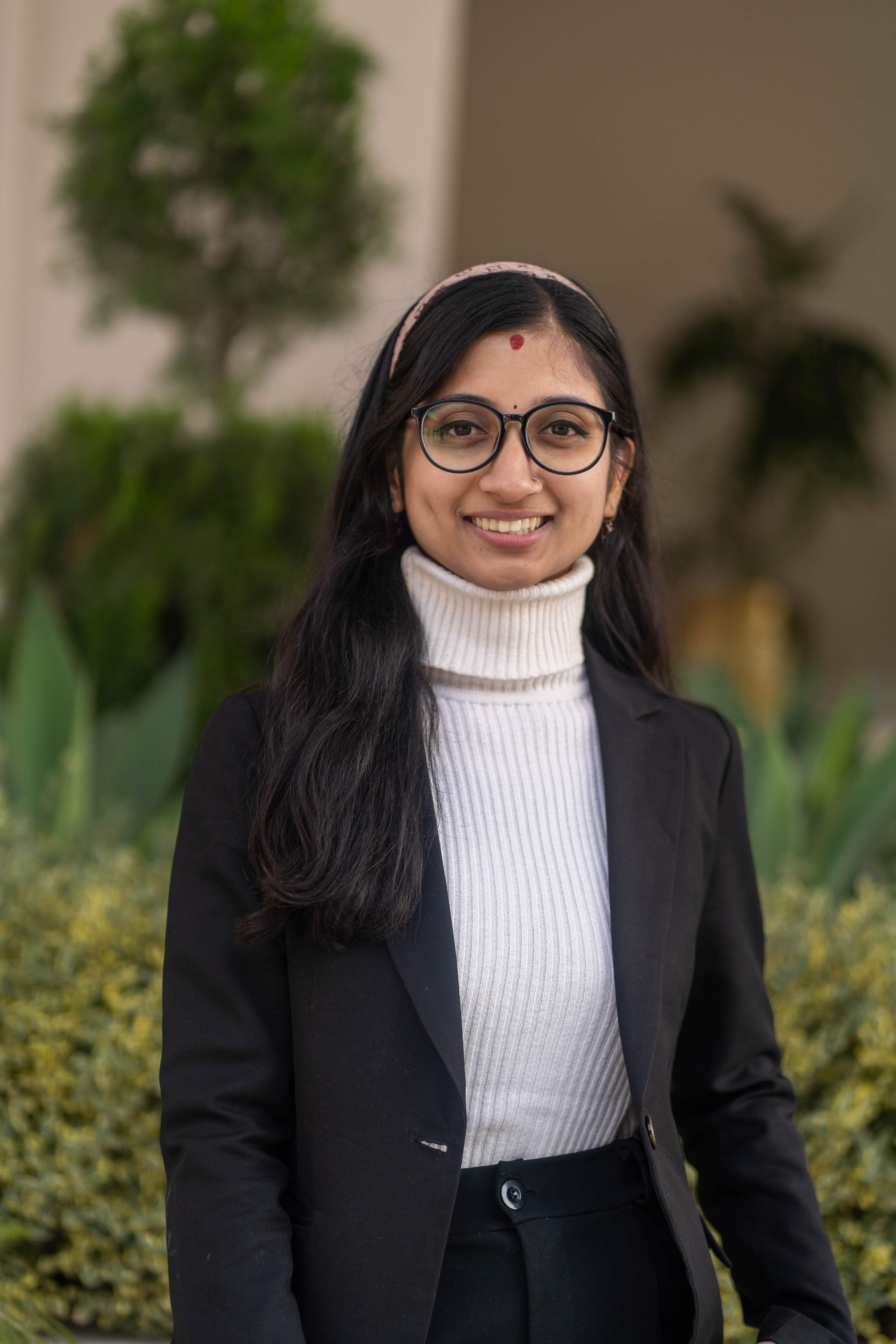 Nisha SharmaTechnical Content Writer
 Udayan ShakyaTechnical Content Writer